Efficiency Matters

Built for utility contractors and municipalities

Turn spreadsheets into mapped, organized job cards. Kruvex helps utility crews plan work smarter, balance workloads, and navigate directly to jobs—all in one place.

"Kruvex is such an integral part of our day to day operations. It gives our foremen so much more info about their jobs in one place, and makes our scheduling and rescheduling a breeze. I believe that is when it comes in most handy—when there are problems with a job, I'm able to reroute crews quickly based on their location."

General Foreman

Utility Contractor

Most of the field world still runs on Excel spreadsheets, PDFs, Google Maps screenshots, text messages, whiteboards, and verbal dispatching. Every morning, someone is manually figuring out where jobs are, which crew should go, what route makes sense, and what's still not done. That's the problem Kruvex was built to solve.

Industries That Face This Every Day

If your operation involves scattered field work, addresses, crews, and coordination — Kruvex was built for you.

Natural Gas Distribution

Service replacements, leak investigations, main replacements, meter work, valve inspections, regulator maintenance, cathodic protection reads, emergency response

Water Departments

Hydrant flushing, hydrant inspections, valve exercising, water meter replacement programs, leak detection, water quality sampling, backflow inspections

Sewer & Wastewater

Sewer jetting, CCTV inspections, manhole inspections, smoke testing, lift station maintenance, grease trap enforcement

Electric Utilities

Pole inspections, transformer maintenance, streetlight repairs, storm restoration, vegetation management, smart meter programs

Telecom & Fiber

Fiber drops, splice work, node maintenance, service installs, small cell deployment, tower inspections

Public Works Departments

Pothole repairs, street sign maintenance, storm drain cleaning, snow routes, pavement markings, sidewalk inspections

HDD & Utility Contractors

Service installs, bore shots, restoration work, asphalt patches, concrete repairs, emergency digs, punch lists

Environmental Services

Soil sampling, groundwater monitoring, air quality checks, EPA compliance inspections

Traffic Control Companies

Lane closures, sign deployment, signal maintenance, crash attenuator placement

Landscaping & Grounds

Irrigation repairs, commercial mowing, tree trimming, fertilization routes

Oil & Gas Field Services

Well inspections, pipeline inspections, corrosion checks, tank inspections, right-of-way patrols

Railroad Operations

Crossing inspections, signal maintenance, vegetation control, track defect inspections

Problems Kruvex Solves

Stop Managing Work in Excel

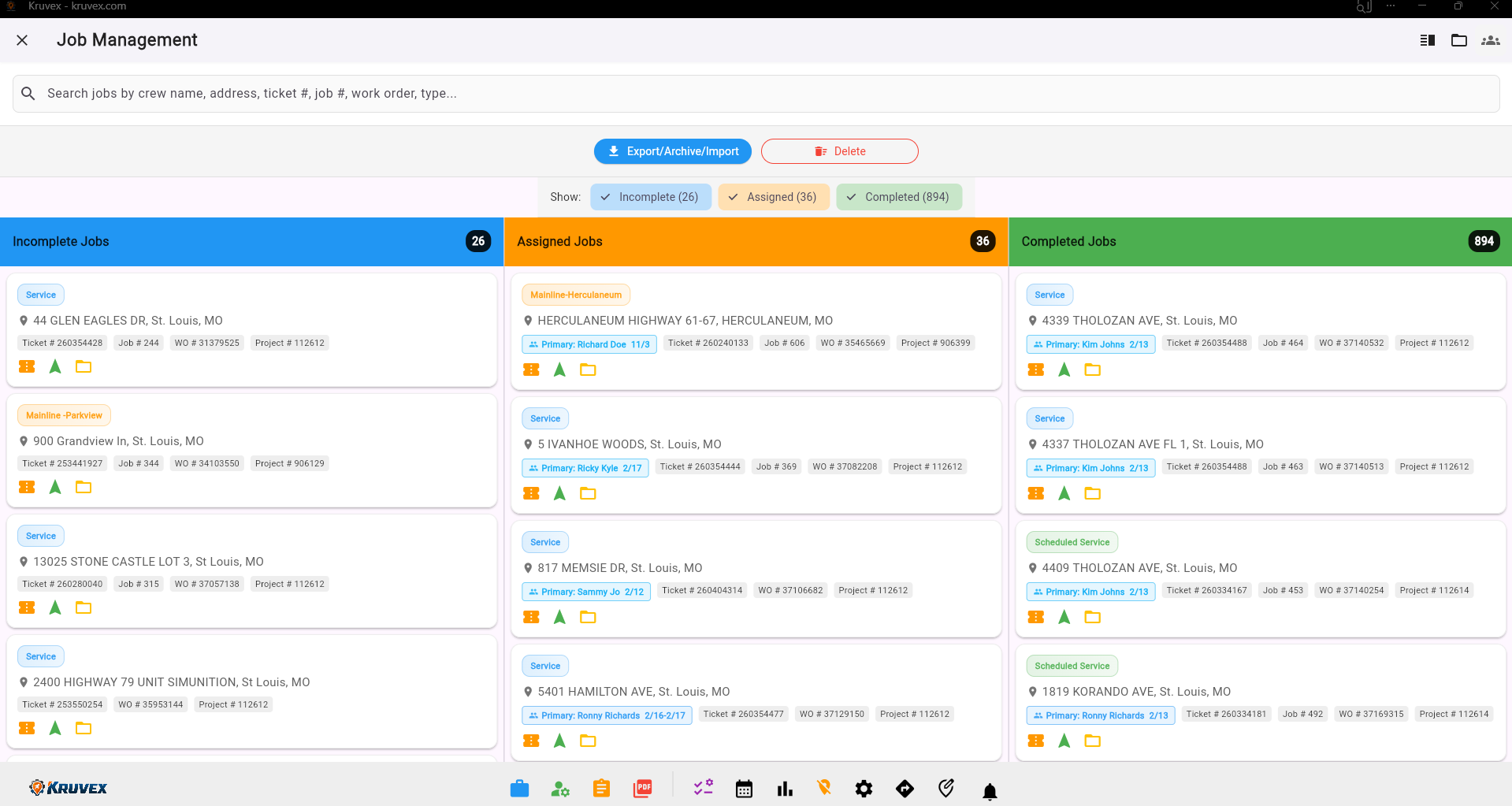
No more spreadsheets. Kruvex turns Excel job lists into organized, mapped, actionable job cards.

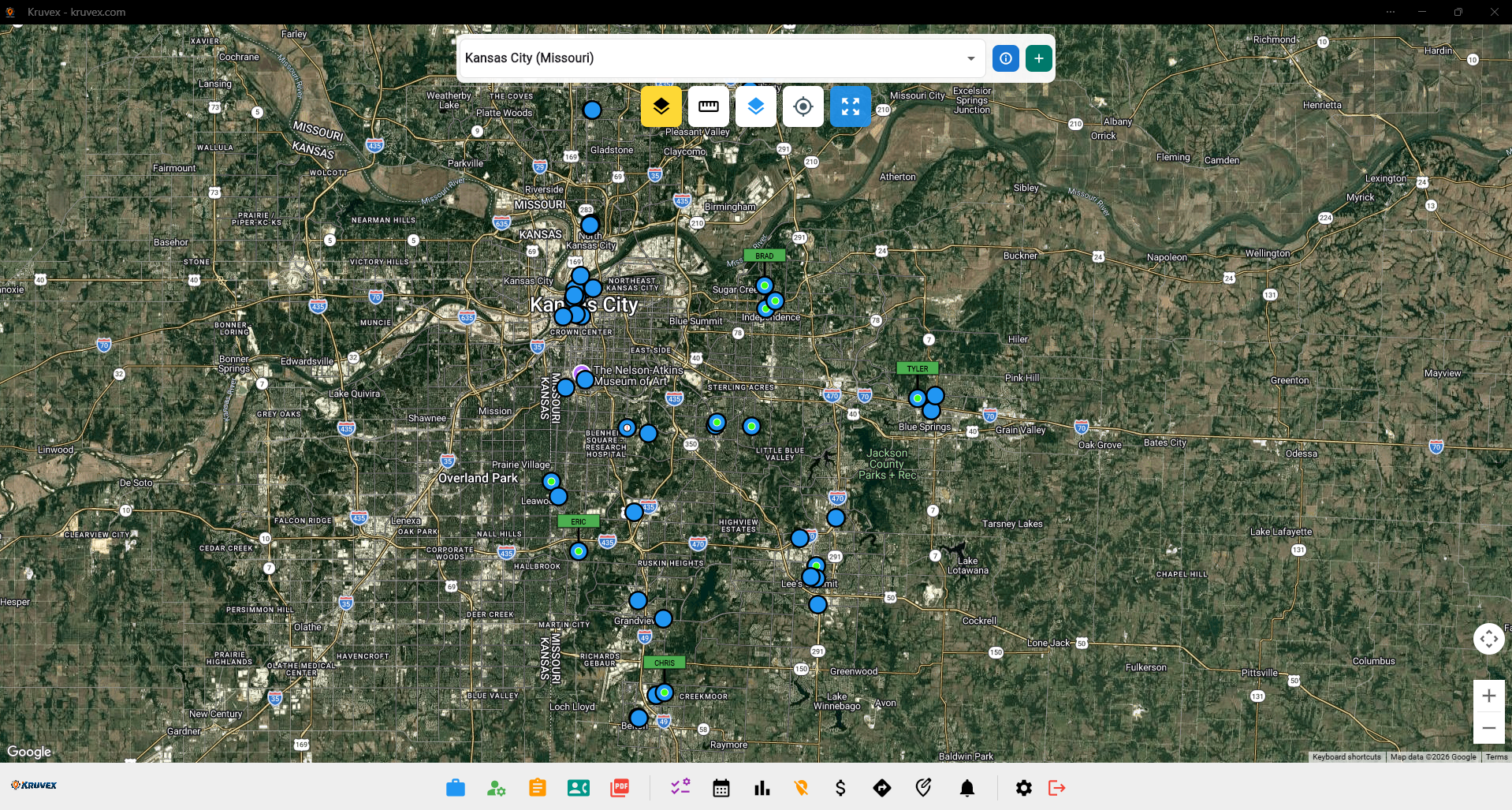
See Jobs on a Map

Visualize all jobs geographically. Plan work by location instead of scrolling through addresses.

Unbalanced Crew Workloads

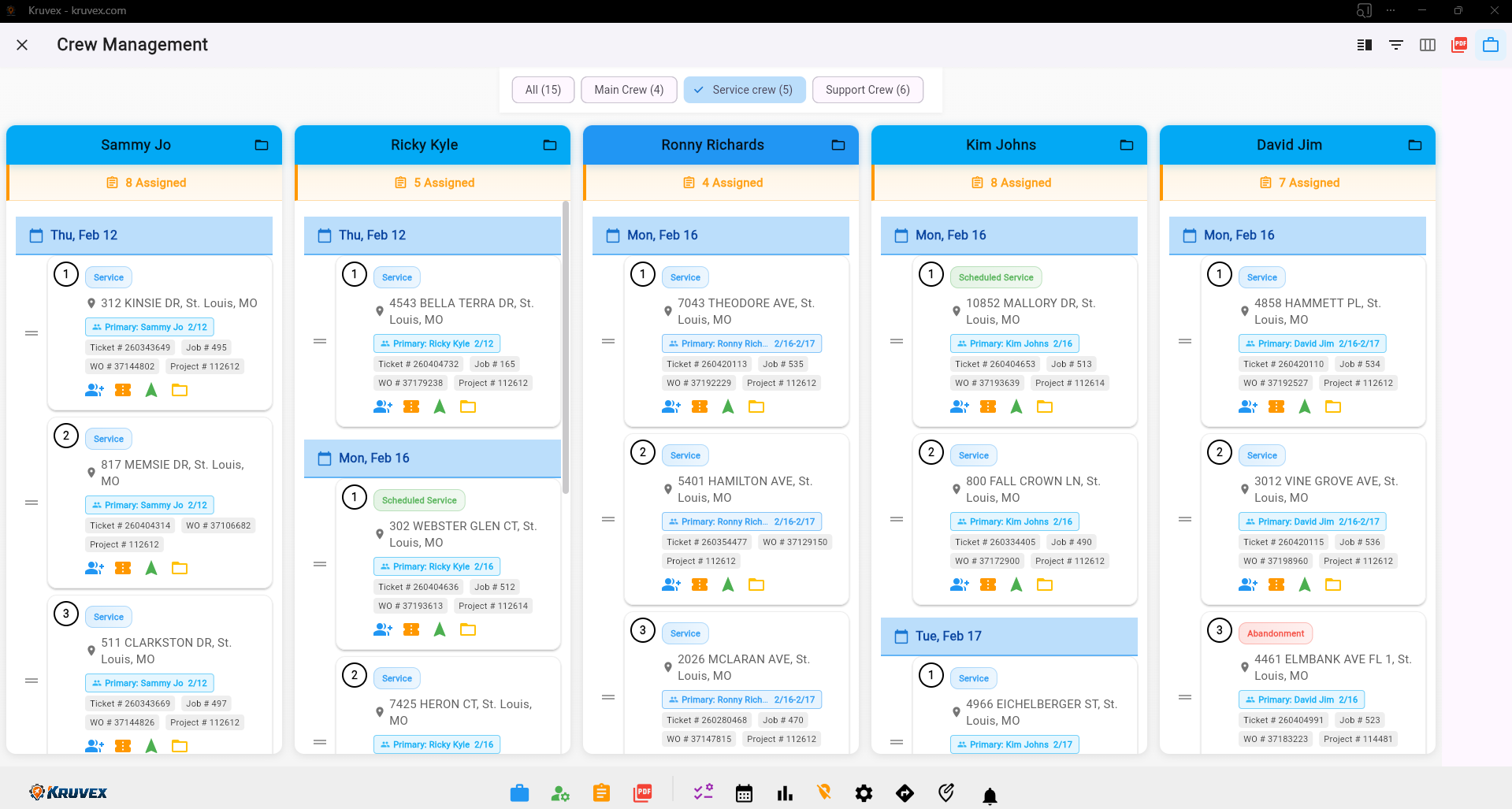
Intelligently balance work across crews. See capacity at a glance and assign jobs fairly.

Missed Steps & Mistakes

Reusable checklists ensure crews complete work consistently and don't miss critical steps.

One-Call Status Tracking Within the App

Track one-call status and ticket details directly inside Kruvex. Access everything in one place without switching systems.

Wrong Addresses & Lost Time

Navigate directly from Kruvex to job locations. No more address confusion or wasted travel time.

Job Details Scattered Everywhere

Everything about a job in one place: location, tickets, work orders, instructions, and checklists.

Communication Delays

Crews have instant access to updated job info. No waiting for emails or phone calls.

Route Changes & Downtime

Change crew routes on the fly with minimal downtime. Everything your foremen need is at their fingertips for quick decisions.

When Kruvex Gets Used

Kruvex is built for the day-to-day situations utility crews actually face in the field.

📈

Large Workload Drops

When a big batch of jobs lands at once—new service installs, permit releases, or contractor handoffs—Kruvex lets you map, sort, and assign the entire load in minutes instead of hours.

📍

Multi-Crew Scheduling

Running several crews across a wide service territory? Assign jobs geographically so each crew works a tight area, reducing drive time and fuel costs.

Emergency Rerouting

When a job gets flagged, a leak is called in, or a crew truck goes down, dispatchers can instantly pull that crew's work and redistribute it to nearby crews without losing track of anything.

📝

Planned Maintenance Programs

Meter replacements, valve inspections, cathodic protection surveys—any repeating program that generates a list of addresses maps directly into Kruvex for organized execution.

📋

One-Call & Locating Coordination

Keep one-call ticket numbers, dig dates, and locate status tied to each job card. Crews always know what's been cleared before they put a shovel in the ground.

🕐

End-of-Day Closeout

Foremen check off completed jobs, update statuses, and leave notes—all from the field on their phone. Managers see what got done in real time without waiting for morning reports.

How Kruvex Works

1

Import Jobs

Upload jobs from Excel spreadsheets or add them individually. Create organized job cards with all details in one place.

2

Visualize on Map

See all jobs mapped out. Plan work geographically instead of from a spreadsheet list.

3

Assign & Balance

Balance crew workloads intelligently. Assign jobs based on location and capacity.

4

Execute with Checklists

Crews navigate to jobs and use custom checklists to complete work consistently and avoid mistakes.

See Kruvex In Action

A powerful dashboard designed for efficient crew management and job planning

Crew Management Dashboard

Upload a single Excel spreadsheet and instantly see all your jobs plotted on the map. Kruvex automatically places job markers for every address, or add jobs manually one at a time.

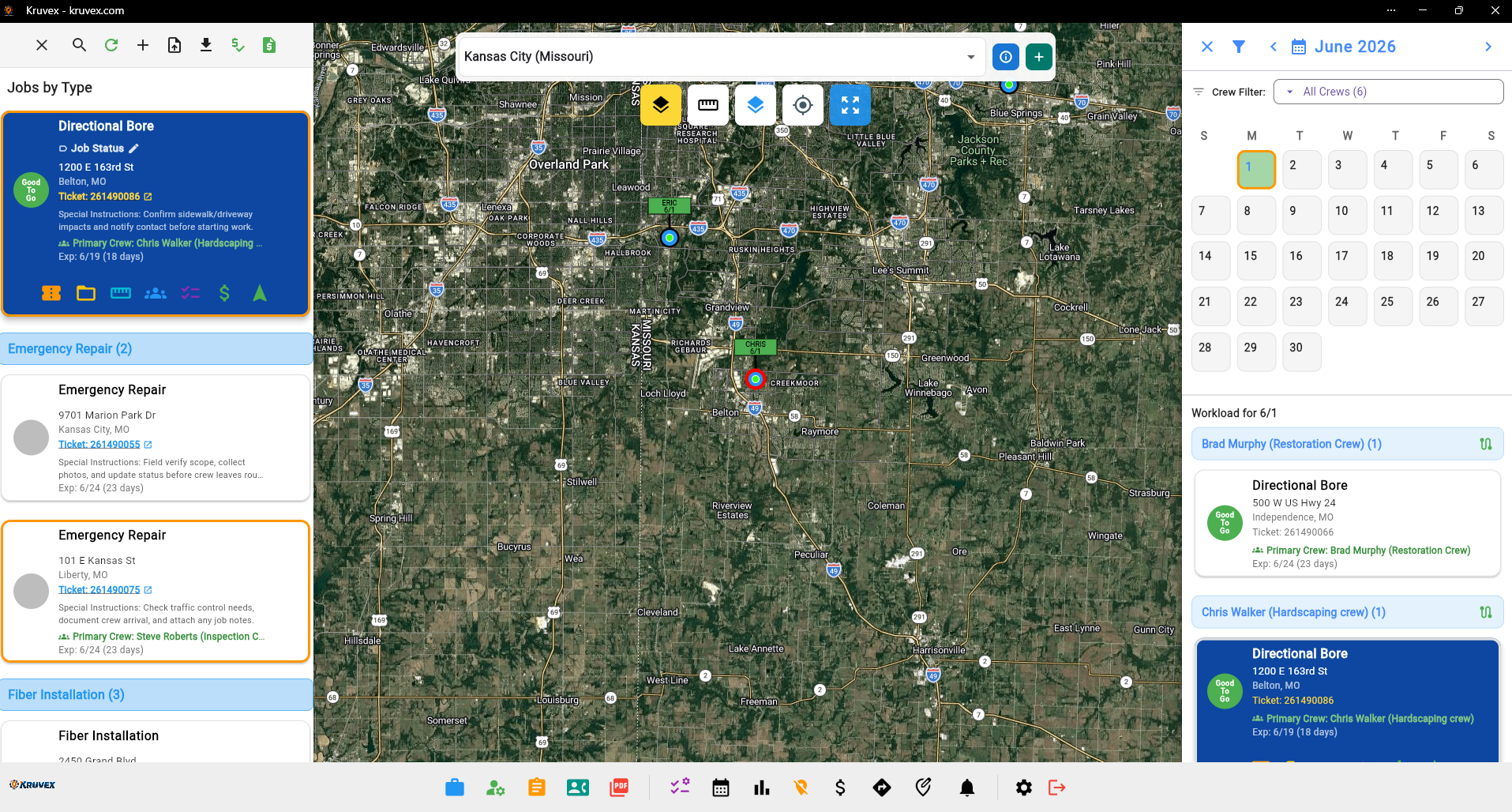
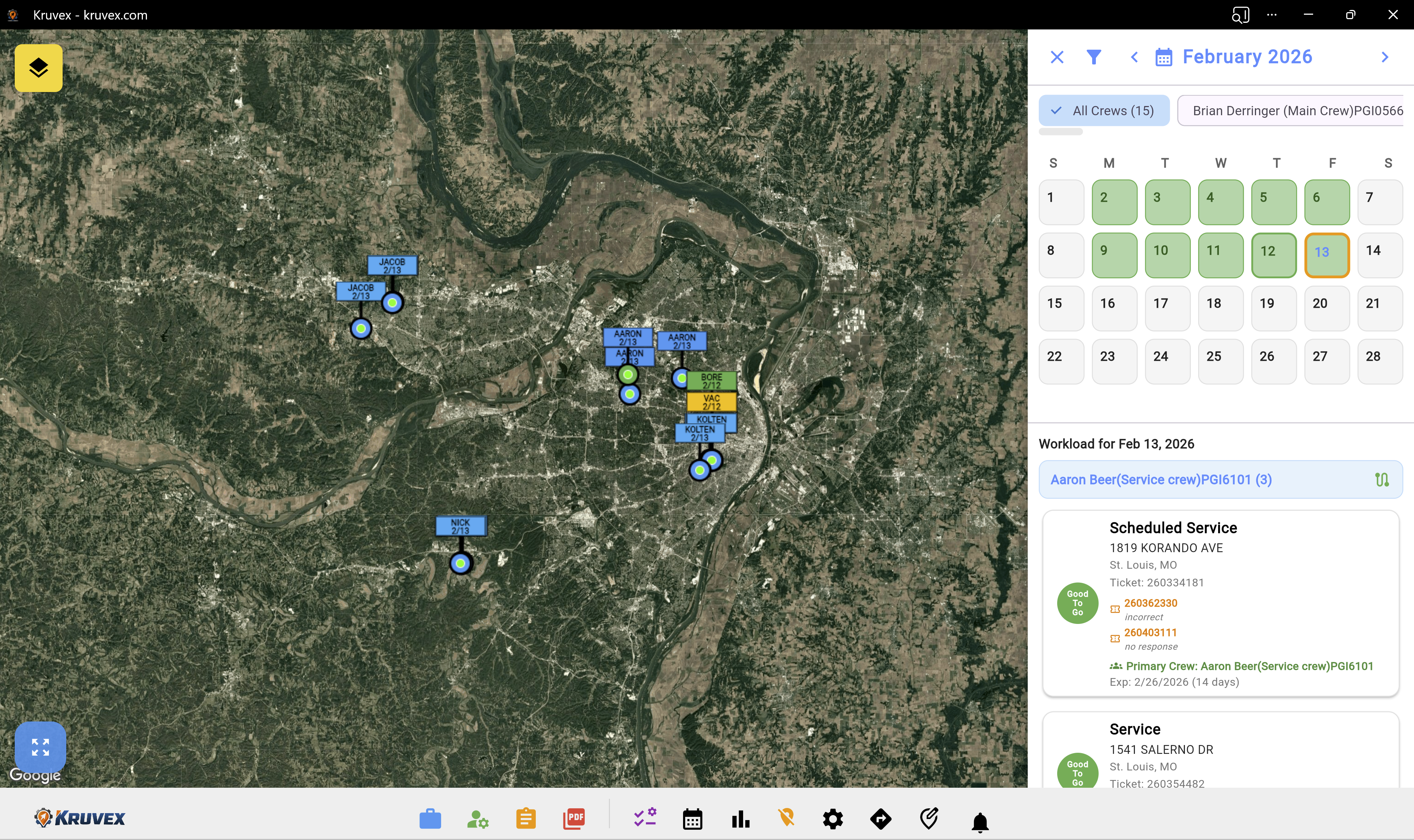
Calendar & Crew Scheduling

Every job from your spreadsheet becomes an organized job card. Each card contains all the details you need—location, work orders, ticket numbers, and custom checklists.

Workload Planning

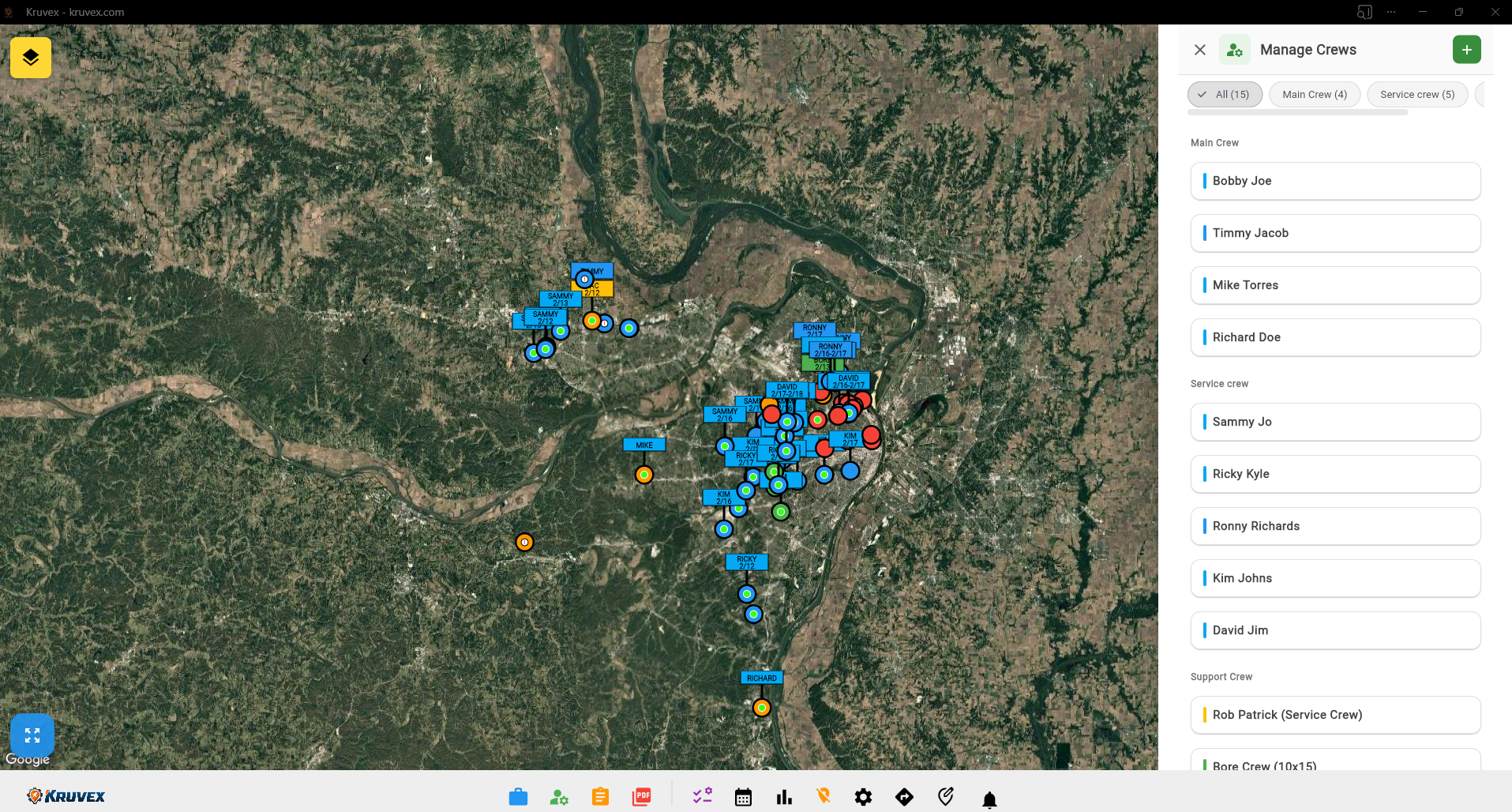
Build your workforce by creating crews and assigning team members. Organize your entire operation with custom crew types and team structures.

Job Details

See your crews' workload at a glance and assign work responsibly. Balance job distribution to keep teams productive without overloading anyone.

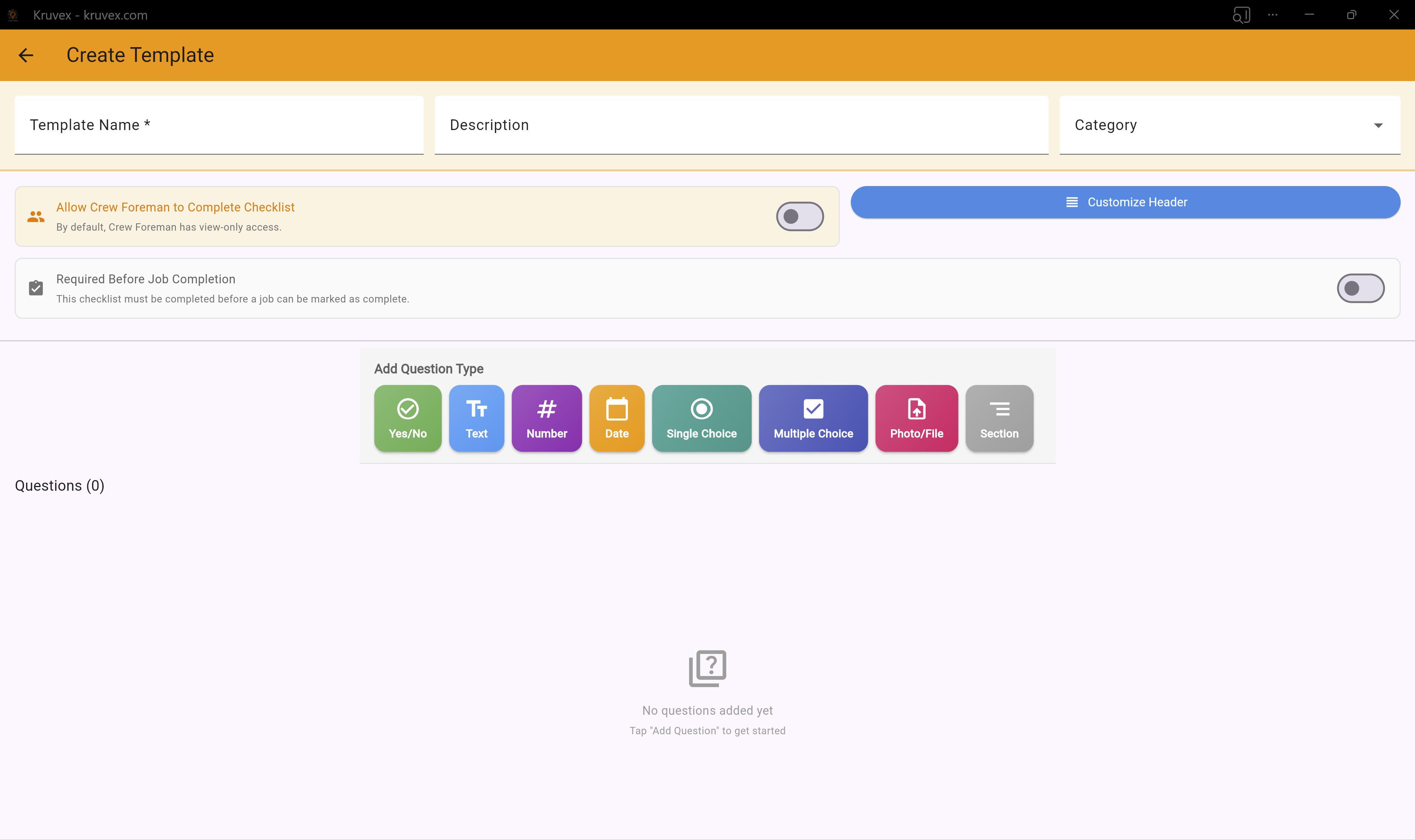
Custom Checklist Builder

Keep track of incomplete, assigned, and completed jobs. See real-time status updates and monitor progress across your entire operation.

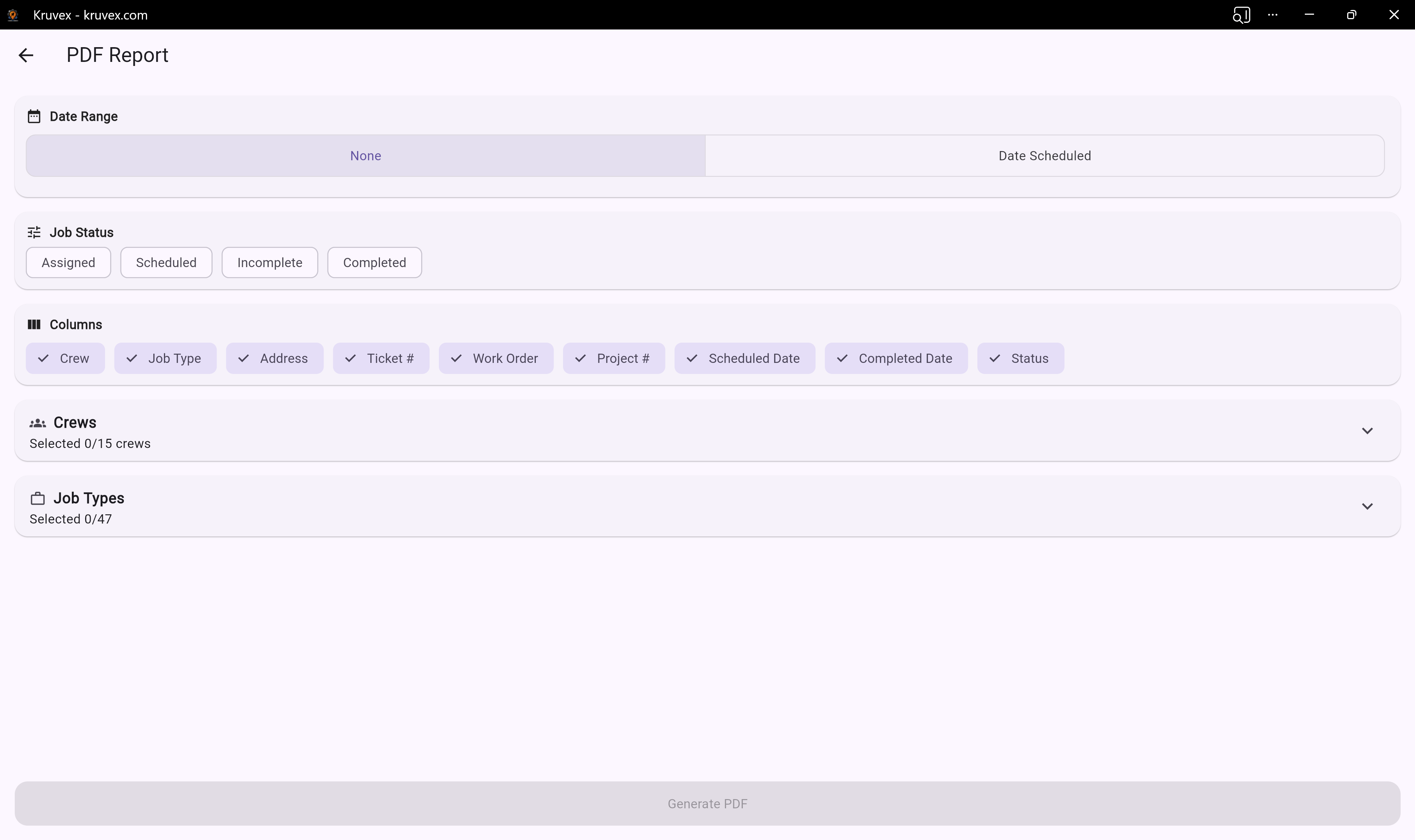
PDF Generation

Generate professional PDF reports and documentation. Export job details, checklists, and crew assignments for records and communication.

Job Mapping

Create custom checklists and turn all your paper checklists into digital. Build reusable templates that ensure crews complete work consistently every time.

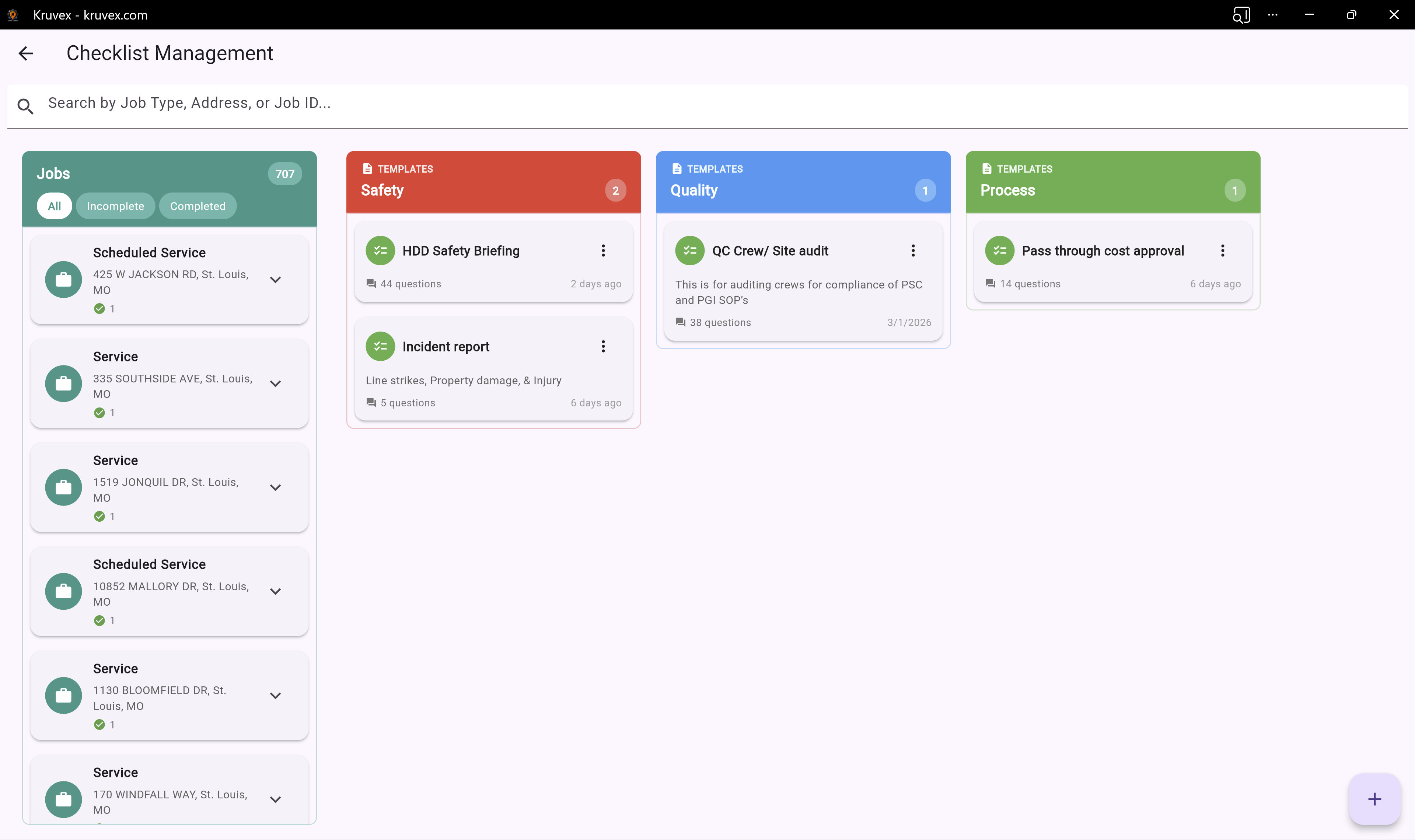
Work Order Management

Track checklist completion across all jobs. See which crews are following procedures and ensure quality standards are met every time.

Crew Assignment

Use the calendar to schedule jobs weeks or months in advance. Plan your workload strategically and keep crews booked with future work.

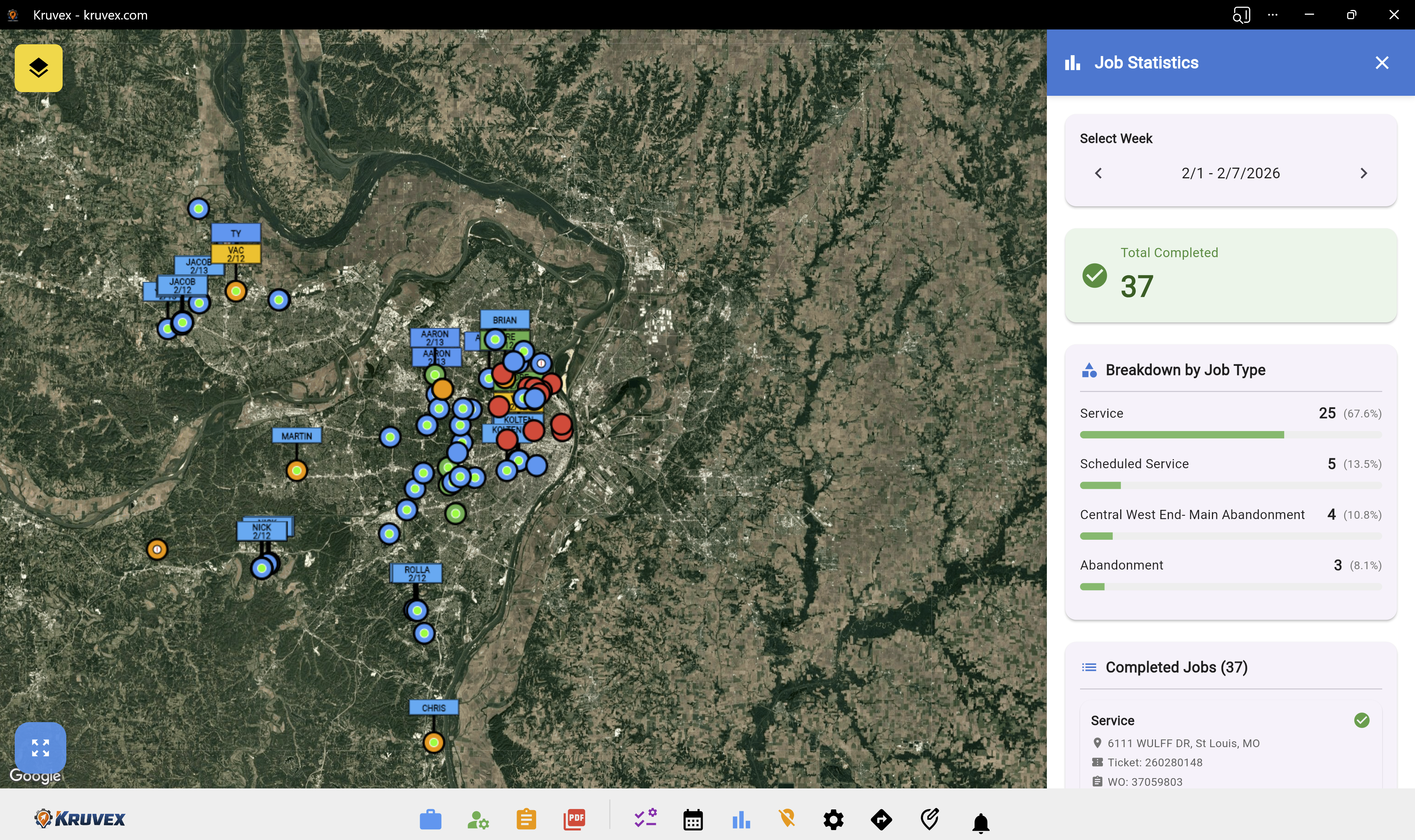
Crew Management View

View analytics and insights about your jobs. Track performance metrics, completion rates, and crew productivity to make data-driven decisions.

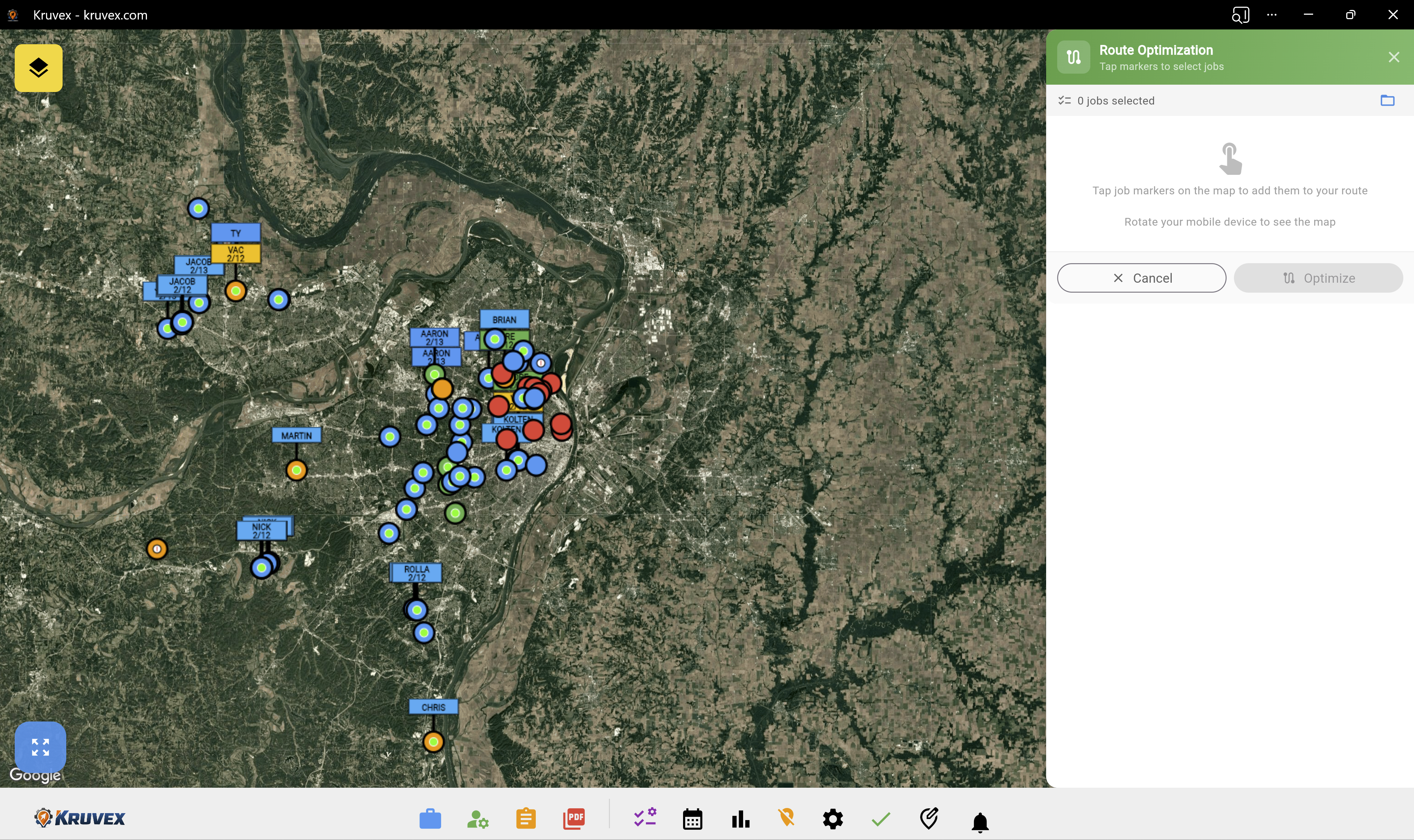
Dashboard Overview

Optimize crew routes to minimize travel time and maximize productivity. Plan efficient job sequences based on location and crew capacity.

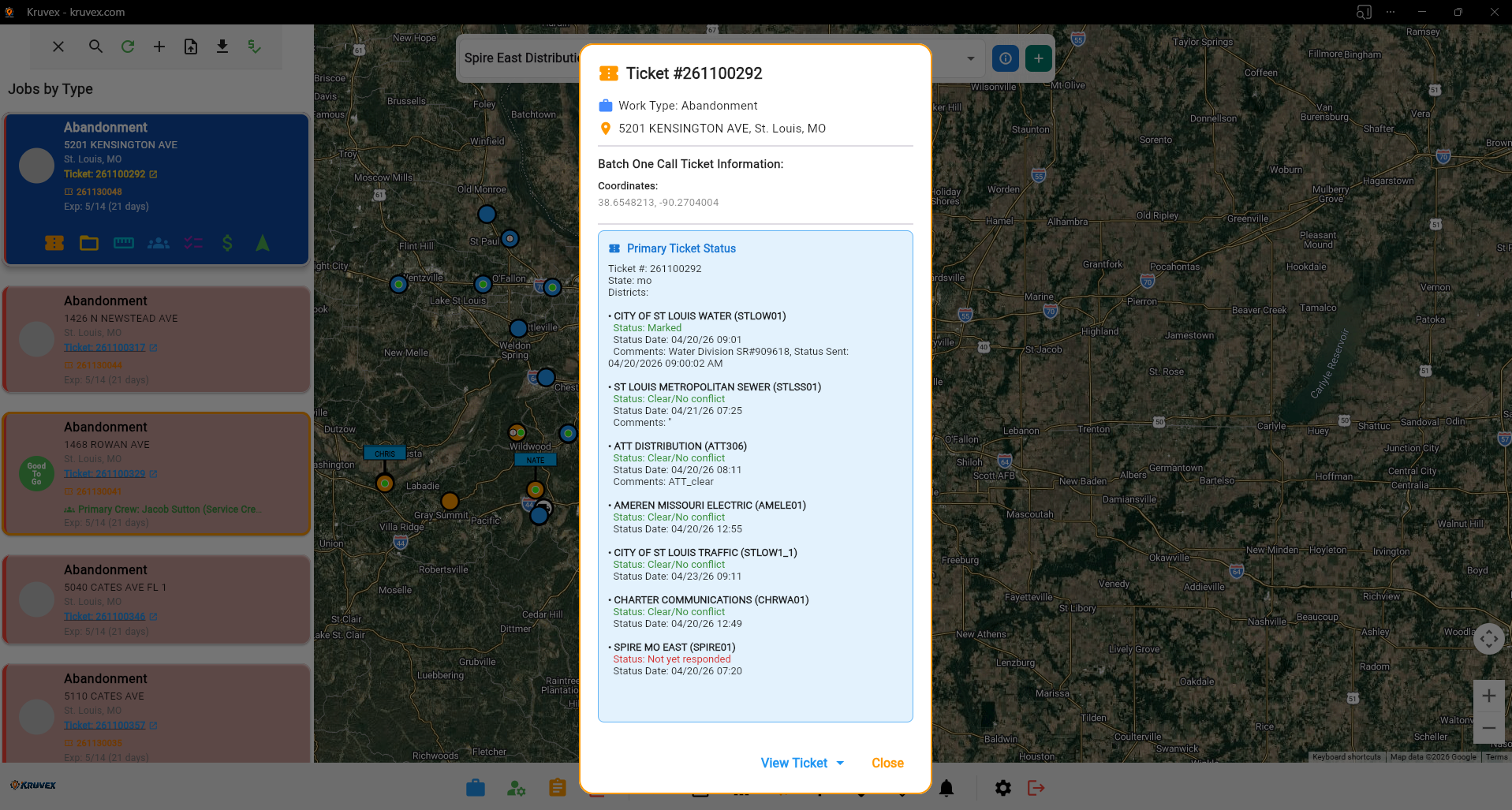
One-Call Status Tracking on Map

See one-call status tracking directly on the map. Marker colors represent each ticket status, and those marker colors update automatically in real time as the status changes in the one-call system.

Revenue Estimator and Pre-Bid Tools

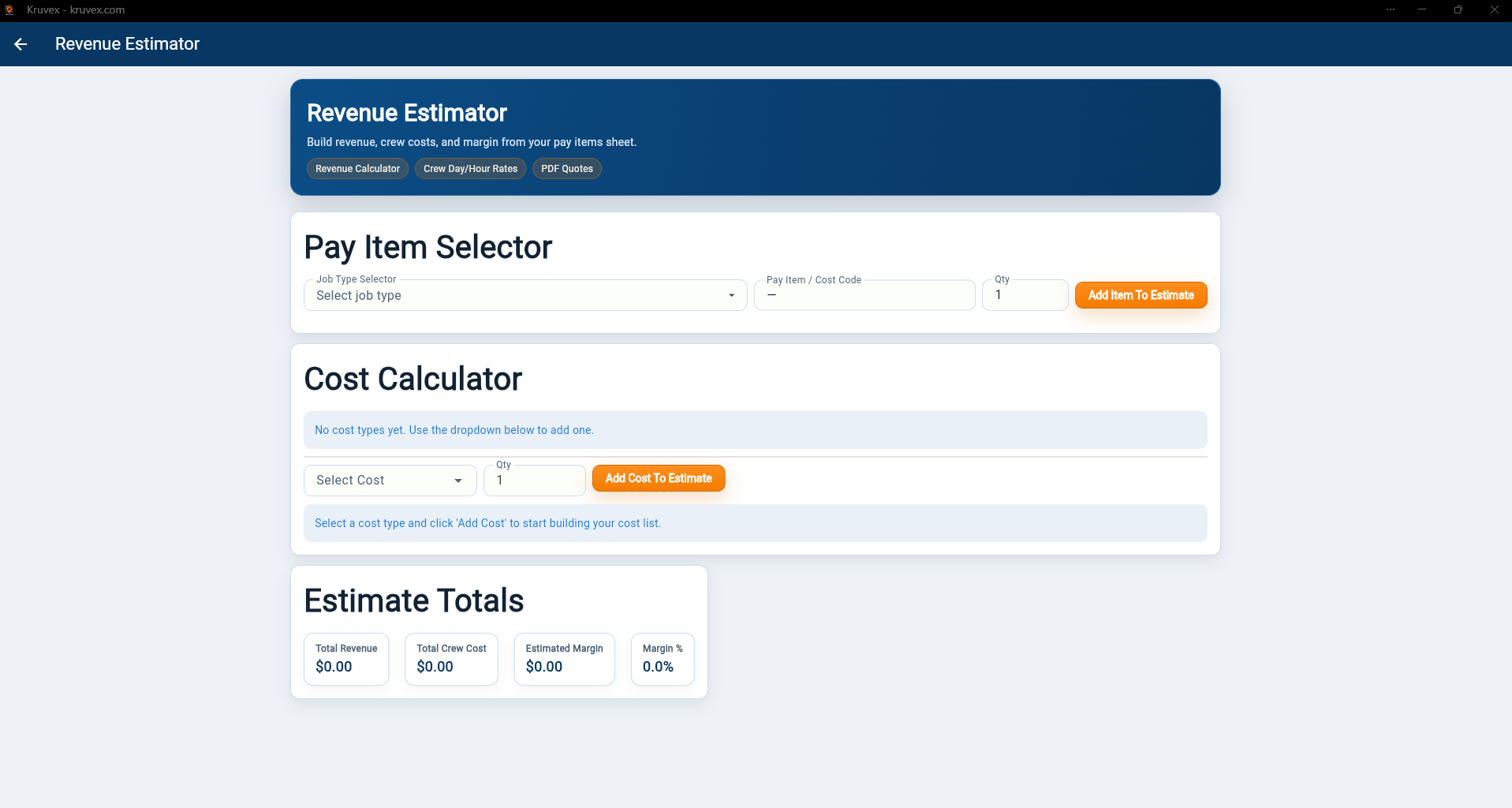
Use the Revenue Estimator to upload pricing and pay items from an Excel spreadsheet or enter them manually. Build fast, accurate pre-bids in minutes.

Client Portal Visibility

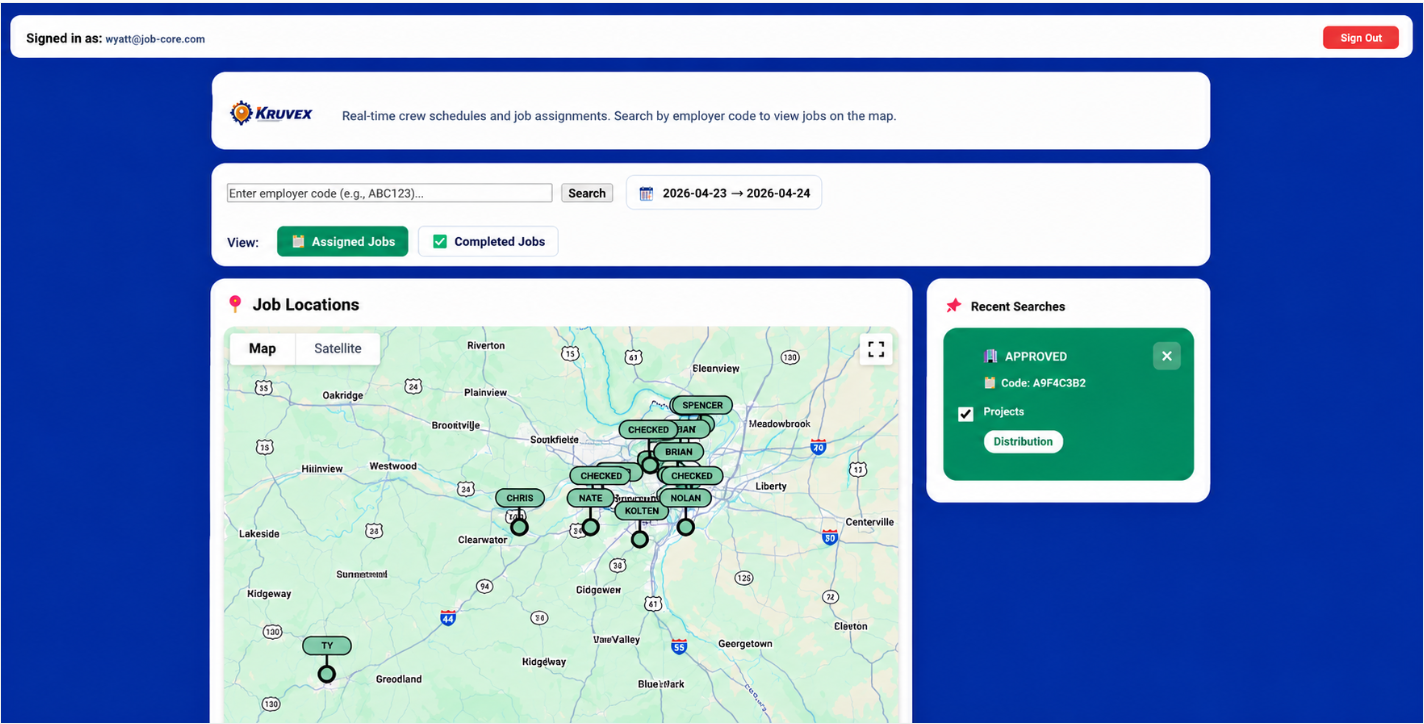
The Client Portal gives your clients direct access to route activity and completed work. They can quickly view crew locations and job completion updates, reducing back-and-forth emails and phone calls.

Settings & Configuration

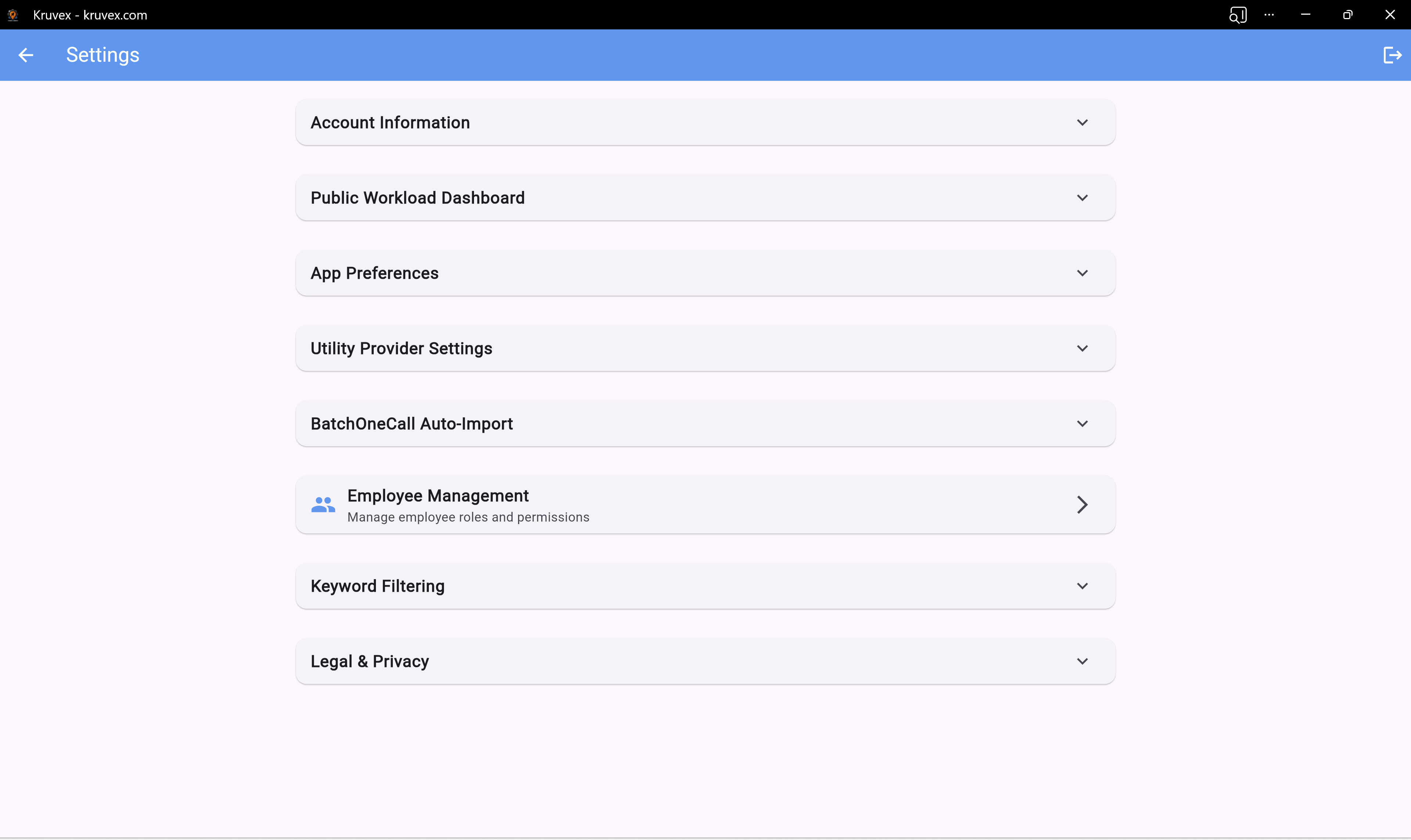
Customize your workspace with comprehensive settings including employee management, batch imports, and utility provider configurations.

Key Features Included

Map-based job visualization

Organized job cards with all details

Crew workload balancing

Custom reusable checklists

One-call status tracking within the app

Direct navigation to jobs

Route optimization

Client portal

One-Call Status Tracking Coverage

Currently active in the highlighted states below.

Kruvex crew tracking and job management are available in all 50 states. One-call status tracking is only available in the highlighted states on this map.

Orange states are fully supported. Gold states have partial support.

Covered States

  • Illinois
  • Indiana
  • Iowa
  • Idaho
  • Kansas
  • Kentucky
  • Louisiana
  • Delaware
  • Hawaii
  • Maryland
  • Minnesota
  • Missouri
  • Montana
  • Nebraska
  • New Jersey
  • New Mexico
  • New York
  • North Dakota
  • Oregon
  • Tennessee
  • Texas
  • Washington

Partial coverage details: Texas excludes the Houston area, and New York coverage is currently NYC area only.

×

Contact Us

Stop Managing Work in Spreadsheets

Kruvex brings utility job planning into the modern world. Map-based, organized, and built for efficient crews.

Get Started with Kruvex